 Shotodo
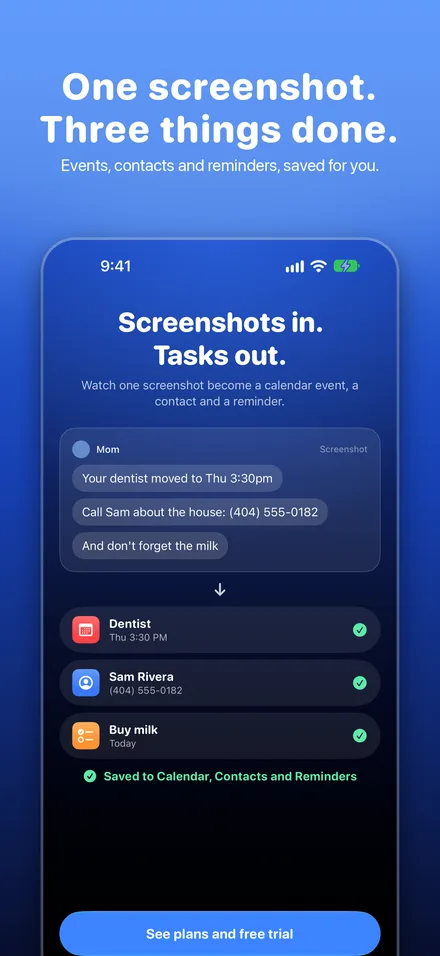
Screenshots in.Tasks out.
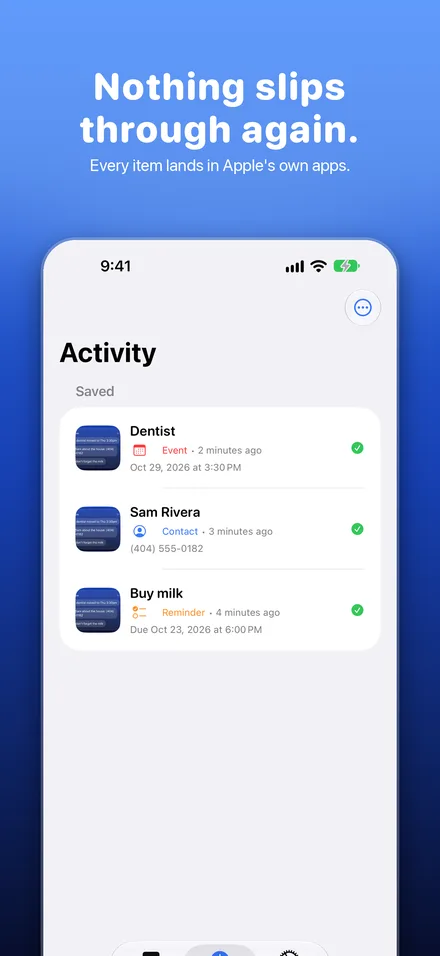
Shotodo reads your screenshot and saves every event, reminder and contact to Apple's own apps. One tap, and nothing slips through.
Your dentist moved to Thu 3:30pm
Call Sam about the house: (404) 555-0182
And don't forget the milk
- DentistCalendar, Thu 3:30 PM
- Sam RiveraContacts, (404) 555-0182
- Buy milkReminders, today
How it works
Take a screenshot
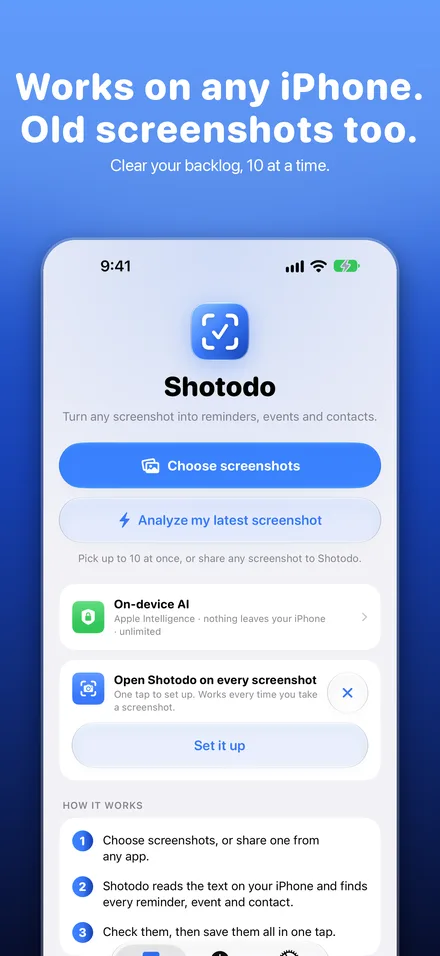
Or share one from any app, or pick up to 10 old ones from your Photos.
Shotodo finds every task
It reads the text on your iPhone and pulls out each event, reminder and contact, not just the first one.
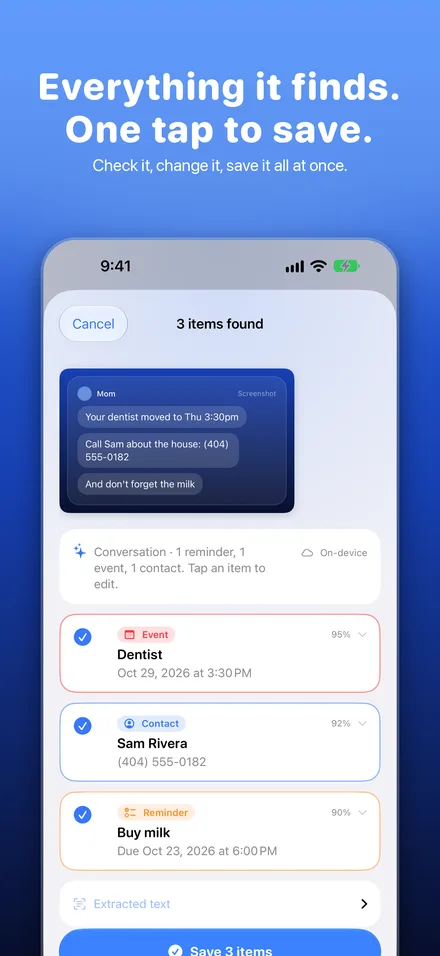
Check it, then save
Fix a title or a time if you want. One tap saves everything to Calendar, Reminders and Contacts.
Made for the screenshots you really take
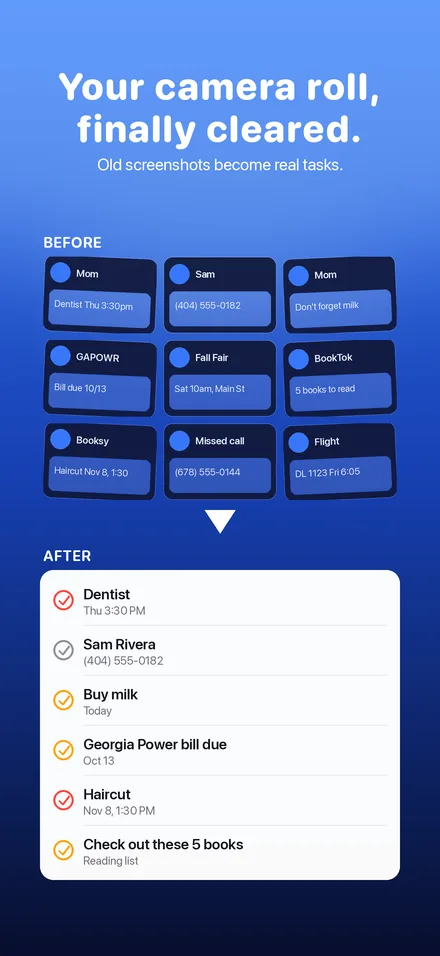
The texts, bills and bookings that sit in your camera roll until it's too late.
Missed call, (678) 555-0144
- Call backReminders, in an hour
- Save the numberContacts
Your balance of $133.28 is due on 11/13.
- Power bill due, $133.28Reminders, Nov 13, high priority
Confirmed. Haircut, Nov 8, 1:30 PM.
- HaircutCalendar, Nov 8, 1:30 PM
Atomic Habits, The Let Them Theory, The Courage to Be Disliked, and two more.
- Check out these 5 booksReminders, one list with every title
See it on iPhone
Make it automatic
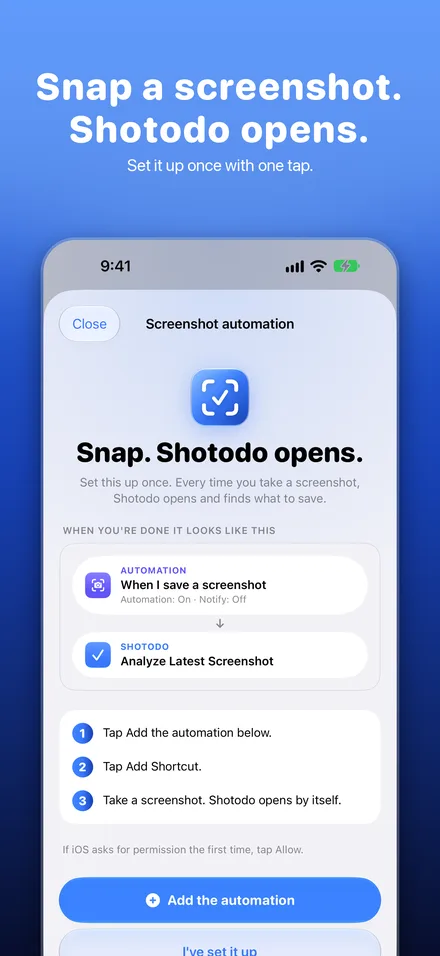
Add the Shotodo automation once, with one tap. After that, Shotodo opens every time you take a screenshot, so you never have to remember.
Private by design
- Your screenshots never leave your iPhone. The text is read on your phone.
- On iPhones with Apple Intelligence, the AI runs on your phone too.
- On other iPhones, only the text goes to Shotodo Cloud. It is never stored or logged.
- No accounts, no ads, no tracking. Your items go to Apple's own apps.
Try it free for 7 days
Yearly
About $3.33 a month. 7 days free.
Monthly
7 days free.
Cancel anytime in Settings, then Apple Account, then Subscriptions. Prices in US dollars; your App Store shows your local price.
Questions
Which iPhones does it work on?
Any iPhone with iOS 26 or later. You don't need Apple Intelligence.
Does it work on old screenshots?
Yes. Pick up to 10 at a time from your Photos and clear your backlog.
Where do my items go?
Straight into Apple Calendar, Reminders and Contacts, so they show up on all your Apple devices.
Can I change things before saving?
Yes. Every item shows on one screen. Edit the title, date, list or calendar, or untick anything you don't want.
What languages does it read?
Many, including English, Spanish, French and German. The app itself is in English.